What Is a Daily Behavior Chart?
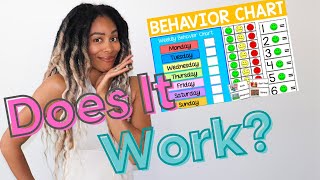
A daily behavior chart is a simple visual tool that tracks a student’s or child’s behavior throughout the school day. By recording specific actions—such as staying on task, following directions, or using kind words—teachers and parents can see patterns, celebrate successes, and intervene early when challenges arise.
Why Use a Daily Behavior Chart?
Research in early childhood and special education shows that consistent, visual feedback improves self‑regulation and motivation. A daily chart provides:
- Immediate feedback that helps the learner understand expectations.
- Data for IEP meetings, giving concrete evidence of progress or areas needing support.
- Opportunities for positive reinforcement through stickers, points, or privileges.
- A transparent way for teachers to share information with families and colleagues.
Key Elements of an Effective Chart
To keep a chart functional and engaging, include the following components:
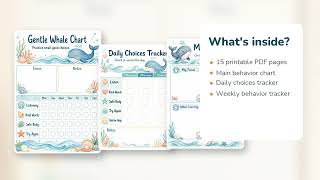
- Clear behavior targets—list 2‑4 specific actions (e.g., “Raises hand before speaking”).
- Time slots—divide the day into periods or blocks that match the classroom schedule.
- Visual symbols—use stickers, stars, or color‑coded boxes that are easy for young learners to recognize.
- Goal line—set a realistic daily target (e.g., “5 stars per day”) and display it prominently.
- Reflection section—a short space for the student to note what went well and what can improve.
How to Create a Daily Behavior Chart in Google Sheets
Many teachers prefer digital charts because they are easy to duplicate, share, and analyze. Follow these steps to build a reusable sheet:
- Open a new Google Sheet and label the first row with the date and the behavior targets.
- Insert columns for each time block (e.g., “Morning,” “Mid‑Morning,” “Afternoon”).
- Use conditional formatting to turn cells green for “on‑task,” yellow for “needs reminder,” and red for “off‑task.”
- Add a column that automatically tallies stars using a simple =COUNTIF(range,"✔") formula.
- Share the sheet with assistants, special‑education staff, or parents using “View only” or “Comment” permissions.
Teacher‑to‑Teacher Tips for Seeing Good Results
Experienced educators often share practical advice that makes behavior charts work better in real classrooms:
- Start small. Introduce one behavior at a time; adding too many targets can overwhelm young learners.
- Model the chart. Walk through the chart with the class each morning, explaining how to earn a star.
- Consistent timing. Record behavior at the same moments each day—after lunch, before transitions, etc.—to reduce subjectivity.
- Collaborate with special‑education staff. Align the chart’s targets with a student’s IEP goals to reinforce individualized objectives.
- Celebrate collectively. When the class meets its daily goal, use a short celebration (e.g