How To Make Xml File: A Complete Beginner’s Guide
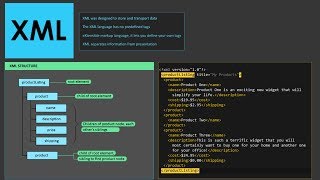
XML (eXtensible Markup Language) is a flexible text format used to store and transport data. Whether you need to exchange information between applications, configure a software system, or simply archive structured data, learning how to make an XML file is a valuable skill. This article walks you through three practical methods—using a plain‑text editor, converting an Excel spreadsheet, and employing online tools—so you can choose the approach that fits your workflow.
Why Create an XML File?
XML is human‑readable and machine‑readable, which makes it ideal for:
- Data interchange between heterogeneous systems.
- Configuration files for web services, databases, and applications.
- Storing hierarchical information such as product catalogs, menus, or book collections.
Because XML follows a strict syntax, a well‑formed file can be validated against a schema, ensuring data integrity before it is processed.
Method 1: Building XML Manually with a Text Editor
Creating an XML file from scratch is straightforward if you follow the basic structure:
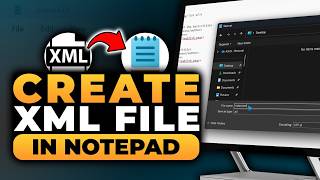
- Open a plain‑text editor. Programs like Notepad (Windows), TextEdit (macOS in plain‑text mode), or any lightweight code editor will work.
- Define the XML declaration. The first line should be:
<?xml version="1.0" encoding="UTF-8"?> - Create a root element. Every XML document needs a single top‑level tag, for example:
<catalog>…</catalog> - Add child elements. Insert nested tags that represent your data, such as:
<book id="b1">
<title>Learn XML</title>
<author>Jane Doe</author>
</book> - Save the file. Use the “Save As” dialog, give the file a .xml extension, and