How To Xray In Minecraft Bedrock: A Complete Guide
If you’ve ever wondered how to spot diamonds, gold, or hidden caves without wandering aimlessly, you’ve come to the right place. In this article we’ll show you the easiest way to Xray in Minecraft Bedrock, explain why it works, and give you tips for safe use on any server.
What Is Xray and Why Players Use It
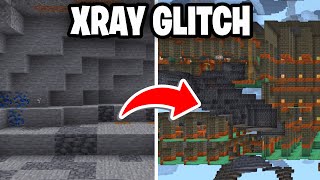
In Minecraft, “Xray” refers to a visual trick that makes certain blocks—usually ores and stone—stand out while everything else becomes transparent. This helps you locate valuable resources quickly, saving time and reducing the risk of getting lost.
Legal and Ethical Considerations
Before you start, remember that many servers consider Xray cheating and may ban players caught using it. Always check the server rules. If you’re playing in single‑player mode or on a server that permits visual mods, you’re free to experiment.
Step‑by‑Step: How To Xray In Minecraft Bedrock
- Choose the Right Tool – The simplest method uses the built‑in resource pack system. Look for an Xray resource pack that is compatible with Bedrock Edition. You can find free packs on community sites or the official Minecraft Marketplace.
- Download the Pack – Click the download link, then save the .mcpack file to a location you can remember.
- Install the Pack – Open the file on your device; Minecraft Bedrock will automatically import it. You’ll see a confirmation message once the pack is added.
- Activate the Pack – Go to Settings > Global Resources. Find your newly installed pack under “My Packs” and tap “Activate.” Make sure it appears in the “Active” column.
- Adjust Settings (Optional) – Some packs let you toggle which blocks are highlighted. If your pack includes a settings menu, enable ores like diamond, emerald, gold, and iron while disabling everything else for a cleaner view.
- Enter Your World – Load the world where you want to Xray. The selected blocks will now appear bright and opaque, while stone and dirt become almost invisible.
- Search Efficiently – Move around slowly and watch the highlighted blocks. When you spot a cluster, dig straight down or create a branch tunnel to collect the ore.
Tips for Getting the Best Results
- Use a Flat World for Practice – Before you head into a survival world, test the pack in a flat world to ensure it works correctly.
- Combine With a Good Pickaxe – An enchanted pickaxe (Efficiency V, Unbreaking III) will let you mine faster once you locate the ores.
- Stay Hidden From Other Players – If you’re on a multiplayer server that allows Xray, keep your mining activities low‑profile to avoid drawing attention.
- Refresh the Pack After Updates – Minecraft updates can break resource packs. Check for a newer version of your Xray pack after each game update.
Alternative Methods (No Resource Pack)
If





![OUTLINED X-RAY PACK FOR MCPE 1.21+ [WORK IN SERVERS] 🔥](https://i.ytimg.com/vi/vC5NATtzOLs/mqdefault.jpg)
