Parent Teacher Conference Sign Up Sheet: A Step‑by‑Step Guide
Organizing parent‑teacher conferences can be a logistical challenge for schools, teachers, and families alike. A well‑designed Parent Teacher Conference Sign Up Sheet streamlines scheduling, reduces back‑and‑forth emails, and ensures that every parent has a fair chance to meet with the teacher. This article walks you through creating an online sign‑up sheet using Google Forms and Google Calendar’s Appointment Schedule feature, so you can save time and keep the process transparent.
Why Use an Online Sign Up Sheet?
Traditional paper sign‑up sheets often become lost, illegible, or quickly filled before all families have a chance to respond. An online Parent Teacher Conference Sign Up Sheet offers several advantages:
- Accessibility: Parents can view and select available slots from any device, at any time.
- Real‑time updates: Once a slot is taken, it disappears for other users, preventing double‑booking.
- Automatic reminders: Google Calendar can send email or mobile notifications to both teachers and parents.
- Data collection: Contact information and special notes are captured automatically, reducing manual entry.
How to Create an Online Parent Teacher Conference Sign Up Sheet
1. Set Up a Google Form
Google Forms provides a free, user‑friendly platform for gathering sign‑up information. Follow these steps:
- Open Google Forms and click Blank to start a new form.
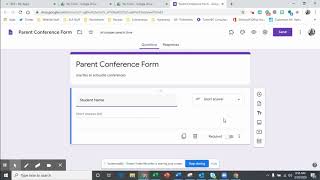
- Title the form Parent Teacher Conference Sign Up Sheet and add a brief description, such as “Select a convenient time for your conference. All times are in Eastern Time.”
- Add fields for Parent Name, Student Name, Email, and Phone Number. Mark these as required.
- Insert a Multiple choice or Dropdown question titled “Preferred Conference Time.”
2. Configure Time Slot Availability
Andrea Wilkison’s tutorial demonstrates how to use Google Forms add‑ons to automate slot removal. To replicate this:
- In the form editor, click the three‑dot menu and select Add‑ons.
- Search for “Form Scheduler” or “Choice Eliminator.” Install the add‑on and grant the necessary permissions.
- Open the add‑on’s settings and choose the “Eliminate choices after selection” option. This ensures that once a parent selects a time, that slot disappears for subsequent users.
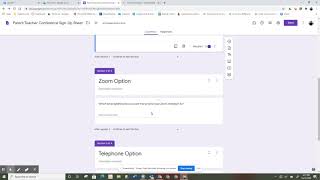
3. Create Sections for Different Conference Methods
If you offer both in‑person and virtual conferences, create separate sections in the form:
- Section 1: In‑Person Conferences – list classroom locations and available dates.
- Section 2: Virtual Conferences – provide a Zoom or Google Meet link and time slots.
Use
![How To Create A Parent Teacher Conference Sign Up Sheet In Google Forms [2025 Guide]](https://i.ytimg.com/vi/mu3PfLJ3Hrc/mqdefault.jpg)