Periodic Table Projects: Engaging Ideas for Students and Hobbyists
Exploring the periodic table through hands‑on projects makes chemistry lively and memorable. Whether you’re a teacher looking for classroom activities or a curious learner seeking a creative challenge, there are countless ways to bring the elements into the real world. Below are practical, step‑by‑step ideas that cover physical models, digital interfaces, and even LED displays, all while reinforcing core concepts of atomic structure and chemical behavior.
1. Classic Physical Models
- Magnetic Element Cards – Print or print‑out cards with each element’s symbol, atomic number, and a small magnetic strip. Students can arrange them on a magnetic board to build blocks, groups, or periods.
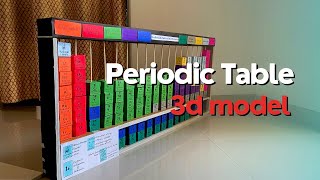
- 3‑D Printable Table – Use free STL files to 3‑d print a scaled periodic table. Add color‑coded groups for visual impact.
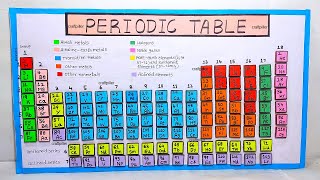
- Element Mosaics – Create a mosaic using colored paper or tiles. Each tile represents an element; students can match patterns or design custom periodic arrangements.
2. Interactive Digital Projects
- Web‑Based Drag & Drop – Build a simple HTML/JavaScript app where users drag elements into their correct positions. Add hover tooltips for facts like electronegativity or melting point.
- Periodic Table Quiz Game – Use platforms like Kahoot or Quizizz to create quizzes that test element symbols, atomic weights, and properties.
- Data Visualization – Pull data from OpenChemistry APIs and display trends (e.g., atomic radius vs. period) with charts.
3. Hands‑On Science Projects
- Element Identification Lab – Provide small samples of common compounds and have students use spectrometry or flame tests to identify the constituent elements.
- Periodic Table in the Kitchen – Use food items to represent elements (e.g., salt for sodium, sugar for carbon). Create a “chemical kitchen” where students mix ingredients and observe reactions.
- Build a Simple Battery – Combine copper, zinc, and an electrolyte to demonstrate electrochemical series. Explain how element positions affect voltage.
4. LED Element Display
The LED periodic table is a modern twist on the traditional chart. Here’s how to make a LED periodic table that lights up when a user selects an element:
- Gather Materials – LED strip, microcontroller (Arduino or Raspberry Pi), resistors, a power supply, and a printed periodic table with cutouts for each element.
- Wire the LEDs – Connect each LED to a digital output pin. Use a matrix or multiplexing to reduce pin count.
- Program the Microcontroller – Write a simple script that maps element symbols to LED pins. Include a button or touch sensor for user input.
- Test and Display – Mount the LED strip behind the table. When a student