Understanding the Sentences Anchor Chart
In the classroom, anchor charts serve as visual references that help students internalize key concepts. A Sentences Anchor Chart focuses on the fundamental structure of sentences—subjects, predicates, and the relationships that bind them together. By displaying this information prominently on the wall, teachers reinforce grammar rules while giving students an accessible resource they can refer to throughout the year.
Why a Sentences Anchor Chart Matters
Grammar can feel abstract, especially when students first encounter complex sentence structures. A well‑designed anchor chart offers several benefits:
- Concrete visual aid: Students can see the components of a sentence side by side, making abstract rules tangible.
- Consistent reference: A permanent chart keeps the lesson alive beyond the classroom discussion.
- Self‑directed learning: Students can review the chart independently, supporting differentiated instruction.
Key Elements to Include
When constructing a Sentences Anchor Chart, consider these essential components. Each element should be clear, concise, and visually engaging.
- Definition of a Sentence
- One or more words that express a complete thought.
- Starts with a capital letter and ends with a period, question mark, or exclamation point.
- Subject vs. Predicate
- Subject: Who or what the sentence is about.
- Predicate: What the subject does or what happens to it.
- Illustrate with a simple example: “The cat chased the mouse.” (Subject: The cat; Predicate: chased the mouse.)
- Compound and Complex Sentences
- Show how two independent clauses can combine using coordinating conjunctions (and, but, or, nor, for, so, yet).
- Demonstrate how subordinate clauses add detail, using subordinating conjunctions (because, although, if, when, while).
- Sentence Types
- Declarative: States a fact or opinion.
- Interrogative: Asks a question.
- Imperative: Gives a command or request.
- Exclamatory: Expresses strong emotion.
- Common Errors to Watch For
- Subject‑verb agreement.
- Run‑on sentences.
- Fragmented thoughts.
Design Tips for an Effective Anchor Chart
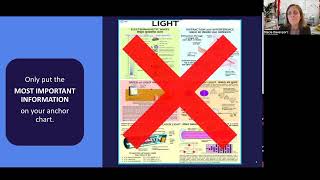
Presentation matters. A cluttered chart defeats the purpose of quick reference. Use these design strategies to keep the chart clean and engaging.
- Color Coding: Assign a distinct color to subjects, predicates, and punctuation marks. This visual cue helps students locate elements fast.
- Use Icons: Small pictograms (e.g., a person for subject, a gear for predicate) can reinforce meaning.
- Space and Alignment: Leave generous whitespace between sections. Align text left for easy scanning