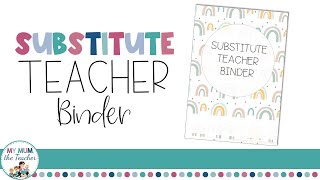
Why Every Substitute Teacher Needs a Well‑Organized Binder
When a regular teacher is out sick or on leave, the classroom’s smooth operation depends on the substitute’s ability to find information quickly. A substitute teacher binder is more than a collection of loose papers; it is a portable command center that delivers lesson plans, classroom procedures, and essential contacts at a glance. By investing a few hours in preparation, you can turn a potentially stressful day into a seamless learning experience for both you and the students.
Core Elements of an Effective Substitute Teacher Binder
Below are the must‑have sections that every binder should contain. Arrange them in the order you are most likely to need them, and use clear dividers or colored tabs for instant access.
- Cover Page & Contact Sheet – Include the teacher’s name, school address, phone number, and emergency contacts. Add a short note about your role as a substitute.
- Daily Schedule – A visual timetable showing class periods, lunch, recess, and any special events.
- Lesson Plans – Detailed, step‑by‑step instructions for each subject, complete with required materials and estimated time.
- Classroom Management Guidelines – Rules, reward systems, and behavior logs that reflect the regular teacher’s expectations.
- Student Roster & Seating Chart – Names, photos (if available), and any special accommodations.
- Resource Lists – Links to online tools, textbook pages, and supplemental worksheets.
- Emergency Procedures – Fire drill routes, lockdown protocols, and first‑aid instructions.
- Teacher’s Personal Notes – Tips on preferred grading methods, favorite ice‑breakers, and any ongoing projects.
Step‑by‑Step Guide to Building Your Binder
Follow this simple workflow to create a binder that works for any grade level.
- Step 1: Choose the Right Binder – A 2‑inch ring binder with sturdy handles is ideal. Consider a binder with a built‑in pocket for loose handouts.
- Step 2: Gather Materials – Print out lesson plans, schedules, and contact sheets. Use clear sheet protectors for frequently referenced pages.
- Step 3: Organize by Tab – Label tabs with bold headings such as “Schedule,” “Plans,” and “Procedures.” Consistent labeling speeds up navigation.
- Step 4: Add a Quick‑Reference Cheat Sheet – One page that lists the most critical information (e.g., where the fire extinguisher is, how to operate the classroom computer).
- Step 5: Review & Update – Before each substitute day, skim the binder to ensure all pages are current. Replace outdated handouts with fresh copies.
Digital vs. Paper Binders: Which Is Best?
Both formats have advantages. A paper binder offers tactile ease and works even when Wi‑Fi is down. A digital binder—hosted on Google Drive or OneDrive—allows you to share updates instantly with the regular teacher. Many educators combine the two: a printed master binder for on‑site use and a cloud folder for backup.
Customizing Binders for Different Grade Levels
While the core sections remain the same, the content inside can be tailored to suit the age group you’ll be covering.
Elementary
Include visual schedules, simple behavior charts, and hands‑on activity guides. A “Morning Routine” page with pictures helps younger students transition smoothly.
Middle School
Focus on detailed lesson outlines, lab safety rules (if applicable), and a quick reference for group work expectations.
High School
Provide comprehensive rubrics, project timelines, and a list of key academic resources such as the school’s online library portal.
Preparing for Unexpected Absences
One of the biggest worries for teachers is the “sick day scramble.” By having a ready‑to‑go binder, you reduce that anxiety dramatically. Here are a few extra tips:
- Keep a master binder in the staff room that any substitute can access.
- Label the binder with a bright sticker that says “SUBSTITUTE TEACHER BINDER – DO NOT REMOVE.”
- Store a spare set of lesson plans on a USB drive or in a cloud folder named “Substitute Backup.”
Real‑World Success Stories
Many teachers share their binder success on YouTube. For example, a popular channel reminds viewers to “like, comment, and subscribe” so they don’t miss future videos on classroom organization. In one video, the creator walks through setting up kids’ binders, demonstrating how a well‑structured system can save minutes each morning. These tutorials often include printable templates that you can adapt for your own binder.
Final Checklist Before You Hand Over the Binder
- All pages are up‑to‑date and clearly labeled.
- Contact information is accurate and easy to find.
- Lesson plans include required materials and any special instructions.
- Emergency procedures are highlighted with a bright marker.
- A quick‑reference cheat sheet is placed at the front of the binder.
Conclusion: Make the Substitute Experience Stress‑Free
A thoughtfully prepared substitute teacher binder empowers you to step into any classroom with confidence. By following the steps outlined above, you’ll provide clear guidance for the substitute, maintain continuity for students, and protect the regular teacher’s instructional flow. Remember to keep your binder updated throughout the year, and consider sharing your own tips on social media—don’t forget to like, comment, and subscribe to education channels for fresh ideas and printable resources.