Telegram Not Displaying Content: What’s Going Wrong and How to Fix It
If you’ve ever opened a chat, a channel, or a group on TELEGRAM only to see blank spaces or “content not available” messages, you’re not alone. Many users experience this issue after a software update, a network change, or when a channel’s settings are altered. The good news is that you can easily fix the problem by following a few straightforward steps.
Why Telegram Might Not Be Displaying Content
Telegram relies on a combination of local device settings, server permissions, and network connectivity to show messages, images, videos, and documents. When any of these elements are misconfigured, the app may fail to load the content you expect.
Common Causes
- Network restrictions: Some Wi‑Fi networks block Telegram’s ports, causing media and files to stay hidden.
- Outdated app version: Running an older version of Telegram can lead to compatibility issues that prevent content from rendering.
- Disabled media download: If the “Data & Storage” settings are set to “Never” for photos, videos, or files, the app will not display them.
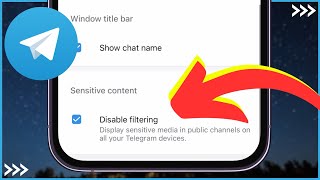
- Sensitive content filter: Telegram allows channel owners to mark media as sensitive. If your account is set to hide such content, you’ll see placeholders instead of the actual files.
- Channel restrictions: Some channels restrict content to members who have verified their phone number or who have joined a specific group first.
How to Fix “This Channel” Not Loading Content
Having trouble with a particular channel that shows a “This channel has no messages” notice? Follow these steps to troubleshoot and restore the feed.
- Open Telegram and go to Settings > Data & Storage. Ensure that “Automatic media download” is enabled for the type of content you expect (photos, videos, files).
- Check your internet connection. Switch from Wi‑Fi to mobile data, or vice versa, to rule out network blocks.
- Tap the channel name, then select Channel Info. Look for a note about “Restricted content” or “Sensitive media.” If present, you may need to request access from the channel admin.
- Update the app. Go to the