Understanding Turkish Airlines Online Check‑In: Timing, Steps, and Boarding Pass Retrieval
Travelers who book flights with Turkish Airlines often wonder about the best time to use the online check‑in feature and how to obtain the boarding pass quickly. This article explains the complete process, from the moment you open the check‑in window to the instant you receive a printable or mobile boarding pass. Follow the step‑by‑step guide below to make your journey smoother and avoid last‑minute stress at Istanbul Airport (Havalimani).
When Does Online Check‑In Open?
Turkish Airlines typically opens online check‑in 24 hours before the scheduled departure time. For most domestic and international flights, the window remains open until 1 hour before departure. However, a few exceptions apply:
- For flights departing from Istanbul Airport (IST) that require a visa or special documentation, the cut‑off may be earlier.
- Charter or codeshare flights may have a different time frame, so always verify the exact timing in your booking confirmation.
Opening the check‑in window as soon as it becomes available gives you the advantage of selecting preferred seats and securing your boarding pass before the website experiences heavy traffic.
Step‑by‑Step Guide to Turkish Airlines Online Check‑In
- Gather Your Booking Details – Have your reservation code (PNR) or ticket number ready. You will also need the passenger’s last name as it appears on the passport.
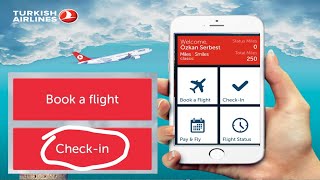
- Visit the Official Website – Go to www.turkishairlines.com and click the “Check‑In” tab located on the homepage.
- Enter Your Information – Input the PNR or ticket number, the passenger’s surname, and click “Search.”
- Select Your Flight – If you have multiple segments, choose the segment you wish to check in for. The system will display available seats.
- Choose Seats and Add Extras – Pick your preferred seat, add extra baggage, or request special meals if needed. Some services may incur additional fees.
- Confirm Passenger Details – Verify the passport number, date of birth, and travel document expiration dates. Correct any errors before proceeding.
- Generate the Boarding Pass – After confirming all details, the system will produce a boarding pass. You can either download a PDF, receive an email with a link, or save a mobile version to your smartphone.
- Print or Save the Pass – For printed boarding passes, use a standard A4 printer and ensure the QR code is clear. For mobile passes, add the PDF to your phone’s wallet or keep the email open for scanning at the gate.
In this video, I will show you step‑by‑step how to complete each of these actions, so you can watch the video for a visual walkthrough and solve any doubts about the process.
What If You Miss the Online Check‑In Window?
Should you miss the online check‑in period, you can still obtain a boarding pass at the airport. Turkish Airlines provides self‑service kiosks at Istanbul Airport, where you can:




![How To Check In Online Turkish Airlines [2026 UPDATE]](https://i.ytimg.com/vi/IShG5rsEoS8/mqdefault.jpg)