What Is Xbox Cloud Gaming?
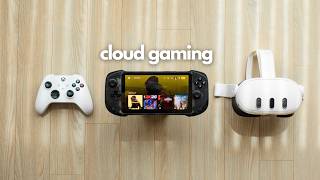
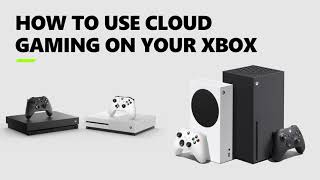
Xbox Cloud Gaming is Microsoft’s streaming service that lets you play Xbox‑compatible titles on devices that don’t have a console or high‑end PC. The games run on Microsoft’s data centers, and video and audio are streamed to your screen in real time. This model removes the need for expensive hardware, making a large library of games accessible from a smartphone, tablet, Chromebook, or low‑spec laptop.
How the Service Works
When you launch a game, the request is sent to a nearby Microsoft server. The server renders the graphics, processes the input, and sends a compressed video stream back to you. Your controller or touch input travels back to the server, completing the loop. Because the heavy lifting happens in the cloud, the local device only needs a stable internet connection and a compatible browser or app.
Membership and Pricing
The service is bundled with the Xbox Game Pass Ultimate subscription. As of the latest update, the monthly fee includes access to over 100 high‑quality titles, plus the cloud streaming feature. Prices may vary by region, but the structure remains consistent: a single subscription covers console, PC, and cloud access, eliminating the need for separate purchases.
Playing on Different Devices
Microsoft has optimized Xbox Cloud Gaming for a broad range of hardware. Below are the most common platforms and what you need to get started:
- Smartphones: Android and iOS devices run the service through a dedicated app or a web browser. A 5 GHz Wi‑Fi network or 4G/5G connection with at least 10 Mbps download speed is recommended.
- Chromebooks: The cloud experience works well on Chromebooks, as the service runs directly in Chrome. Users report smooth gameplay when the device is connected to a reliable broadband line.
- PC and Mac: While the service doesn’t require a powerful GPU, a recent processor and at least 8 GB of RAM help