Xbox Cloud Gaming Account Setup: A Complete Guide for 2025
Want to play games right away on your PC without downloading? Follow these steps to experience Xbox Cloud Gaming instantly. This guide walks you through creating an Xbox account, linking the required subscription, and signing in so you can start streaming games from the cloud.
What You Need Before You Begin
- Microsoft account – an email address that you use for Outlook, Skype, or any other Microsoft service.
- Xbox Game Pass Ultimate subscription – the only plan that includes Xbox Cloud Gaming.
- Supported device – a Windows PC, macOS, Android, iOS, or a web browser that meets the minimum specifications.
- Stable internet connection – at least 10 Mbps for smooth 720p streaming; 20 Mbps+ is recommended for 1080p.
Step 1: Create a Microsoft Account (If You Don’t Have One)
- Visit account.microsoft.com and click Create account.
- Enter your preferred email address, create a strong password, and fill in the required personal details.
- Complete the verification process by entering the code sent to your email or phone.
- Accept the terms of service and privacy policy to finalize the account.
Having a Microsoft account is the foundation for every Xbox service, including cloud gaming.
Step 2: Subscribe to Xbox Game Pass Ultimate
- Log in to the Microsoft Store on your PC or navigate to the Xbox website.
- Search for “Xbox Game Pass Ultimate” and select the subscription plan that fits your budget.
- Enter your payment details, confirm the purchase, and wait for the confirmation email.
Once the subscription is active, you gain access to the entire cloud gaming library without additional downloads.
Step 3: Sign In to Xbox Cloud Gaming (2025)
Here’s how to sign in Xbox Cloud Gaming (2025) on different platforms:
On a Web Browser (Windows, macOS, Linux)
- Open your preferred browser and go to Xbox Play.
- Click the Sign in button at the top right corner.
- Enter your Microsoft account credentials and press Enter.
- When prompted, select the Xbox Game Pass Ultimate profile you want to use.
- The cloud gaming interface will load, showing the available games.
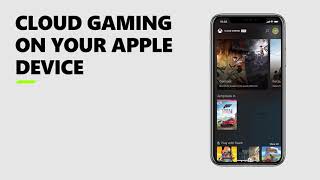
On the Xbox Game Pass App (Android & iOS)
- Download the Xbox Game Pass app from Google Play or the App Store.
- Launch the app and tap Sign in.
- Use your Microsoft account email and password, then tap Next