Xbox Cloud Gaming Beta: What You Need to Know
The Xbox Cloud Gaming Beta is Microsoft’s latest step toward making high‑quality console games accessible on any device with an internet connection. By streaming games from Microsoft’s data centers, the beta lets players enjoy titles like Fortnite, Minecraft Dungeons, and SnowRunner on Android phones, tablets, and even low‑spec PCs without installing large files.
How the Beta Works
When you launch a game through Xbox Cloud Gaming, the processing happens on a remote server. The video stream is then sent to your device, while your inputs travel back to the server in real time. This architecture means you can:
- Play demanding titles on devices that lack powerful GPUs.
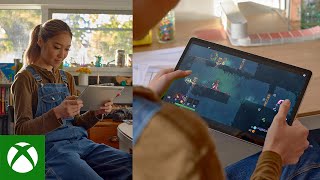
- Switch between devices without losing progress.
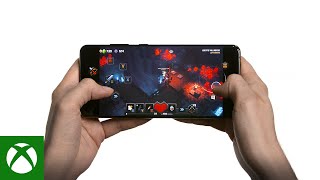
- Enjoy touch‑optimized controls for games that support them, such as Minecraft Dungeons on Android.
Getting Started on Android
To try the Xbox Cloud Gaming Beta on an Android phone or tablet, follow these steps:
- Ensure you have a stable Wi‑Fi connection (minimum 10 Mbps recommended).
- Download the Xbox Game Pass app from the Google Play Store.
- Sign in with your Microsoft account that has an active Game Pass Ultimate subscription.
- Navigate to the “Cloud” tab and select a game marked as “Beta”.
- Tap “Play” and enjoy the stream directly on your device.
Games that support touch controls, like Minecraft Dungeons, will automatically display an on‑screen joystick and buttons, making the experience intuitive for mobile gamers.
Popular Titles Tested in the Beta
During early testing, several high‑profile games have demonstrated the potential of the service:
- Fortnite – The battle‑royale hit runs smoothly with touch controls, and players can join cross‑platform matches without any extra setup.
- SnowRunner – Heavy‑duty off‑road simulations stream at 1080p, showing that even graphically intensive games can be delivered over the cloud.
- Minecraft Dungeons – Touch‑enabled controls let you explore dungeons on the go, proving the platform’s versatility.
Performance Tips for a Smooth Experience
While the beta is designed to work on a range of hardware, a few best practices can improve latency and visual quality:
- Use a 5 GHz Wi‑Fi network instead of 2.4 GHz whenever possible.
- Close background apps to free up bandwidth and processing power.
- Enable “High Performance” mode in the device’s battery settings to prevent throttling.
- Adjust streaming quality in the Xbox Game Pass app if you encounter frequent buffering.
Legal and Subscription Considerations
The beta is fully integrated with Xbox Game Pass Ultimate. There is no separate fee for cloud access, but you must maintain an active subscription. Microsoft