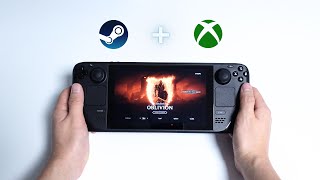
Xbox Cloud Gaming on Steam Deck: A Complete Setup Guide
If you own a Steam Deck and a Xbox Game Pass subscription, you’re in for a treat. Turns out, you can play Game Pass on the handheld without any console, thanks to Xbox Cloud Gaming (also known as Xbox Cloud Gaming on Steam Deck). This article walks you through the entire process, from preparing your device to fine‑tuning performance for the best experience.
What Is Xbox Cloud Gaming?
Xbox Cloud Gaming streams a library of Xbox Game Pass titles directly to compatible devices. The service runs the game on Microsoft’s servers, while your device receives a video feed and sends back controller inputs. Because the heavy lifting happens in the cloud, even modest hardware like the Steam Deck can deliver console‑quality gameplay.
Why Use Xbox Cloud Gaming on a Steam Deck?
- Portability: Play the same Game Pass catalog on the go, without needing a separate Xbox console.
- Hardware Efficiency: The Steam Deck’s AMD APU handles streaming smoothly, preserving battery life compared to native emulation.
- Unified Library: Keep all your PC and cloud games in one place, accessed through the Steam UI.
Prerequisites
- A Steam Deck running the latest SteamOS (or a compatible Linux distribution).
- An active Xbox Game Pass Ultimate subscription.
- A stable Wi‑Fi connection (minimum 10 Mbps recommended for 720p streaming).
- A Microsoft account linked to your Game Pass.
Step‑by‑Step Setup
1. Install a Chromium‑Based Browser
- Open the desktop mode on your Steam Deck.
- Launch the Discover software center.
- Search for “Microsoft Edge” or “Google Chrome” and install the package.
- After installation, add the browser to your Steam library for quick access.